
Download Stockmagic – Free Drag‑and‑Drop Photo Downloader for Mac
Overview
Stockmagic is a lightweight, free, and user‑friendly photo downloader that brings the massive library of royalty‑free images from Pixabay directly to your Mac menu bar. Instead of opening a web browser, navigating to the Pixabay website, and manually searching for each picture, Stockmagic lets you access, preview, and download images with a simple drag‑and‑drop gesture. The app sits unobtrusively in the menu bar, offering instant access to millions of high‑quality photos that can be used in presentations, blog posts, marketing material, or any creative project that requires a visual boost. Because the software is built specifically for macOS, it integrates seamlessly with native shortcuts, supports Retina displays, and respects Apple’s security standards, making it a secure and efficient tool for designers, teachers, marketers, and anyone who regularly needs visual content.
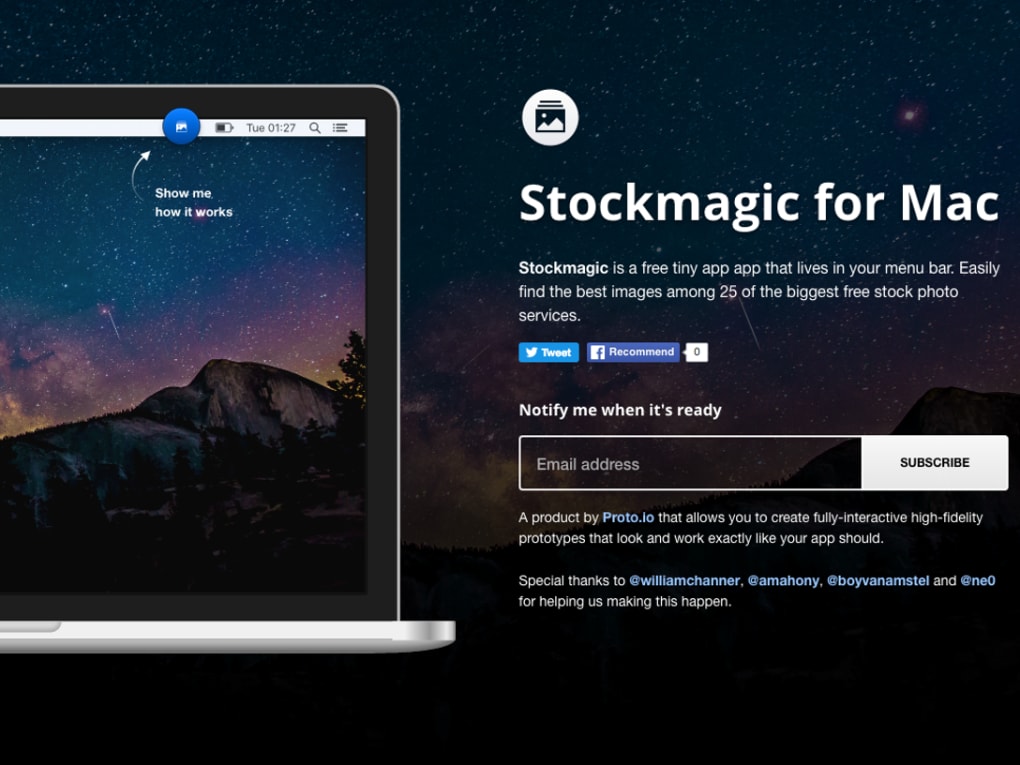
What sets Stockmagic apart from generic browser extensions is its focus on speed and simplicity. The moment you install the app, an icon appears at the top right of your screen. Clicking the icon opens a compact search pane where you can type keywords, filter by orientation, color, or image type, and instantly see thumbnail previews.
Once you find the perfect picture, you simply drag it onto the destination window—be it a PowerPoint slide, a Keynote presentation, or a document in Pages. The downloaded file retains its original resolution and licensing information, ensuring you stay compliant with Pixabay’s terms of use. In addition, Stockmagic receives regular updates that improve search accuracy, add new filters, and keep the app compatible with the latest macOS releases.
Key Features
- Menu‑Bar Integration: Access Pixabay’s image catalog without leaving your current application.
- Drag‑and‑Drop Workflow: Move images directly into presentations, documents, or design tools with a single mouse movement.
- Instant Search & Filters: Keyword search, orientation (landscape/portrait), color palette, and image type filters (photo, illustration, vector).
- High‑Resolution Downloads: Preserve original image quality, suitable for print and high‑DPI displays.
- License Transparency: Each download includes clear licensing details from Pixabay, preventing accidental copyright issues.
- Lightweight Design: Minimal memory footprint, ensuring your Mac runs smoothly even during heavy multitasking.
- Automatic Updates: The app checks for updates in the background, delivering new features and security patches without manual intervention.
- Secure Connection: All communications with Pixabay use HTTPS, guaranteeing encrypted data transfer.
Beyond the core capabilities, Stockmagic offers a few hidden gems that power users appreciate. For example, the app remembers your last search query, allowing you to resume a previous session instantly. It also supports keyboard shortcuts for opening the search pane (⌘ Shift S) and for toggling the menu‑bar icon’s visibility. These small touches streamline the workflow for professionals who need to switch between multiple projects throughout the day. Finally, because the software is open‑source on GitHub, the community can contribute bug fixes, new features, or language translations, ensuring that Stockmagic remains a modern, community‑driven solution.
Installation, Usage & Compatibility
Step‑by‑Step Installation
Installing Stockmagic is straightforward. Follow these steps to get the app up and running on your Mac:
- Visit the official Stockmagic website or the Mac App Store and click the Download Free button.
- Once the
.dmgfile is downloaded, open it and drag the Stockmagic icon into your/Applicationsfolder. - Launch the app. macOS may prompt you to confirm that you trust the developer; click Open to proceed.
- After the first launch, you’ll see the Stockmagic icon appear in the menu bar. Click it to open the search pane.
- Sign in with a Pixabay account if you want to save favorite searches or access premium filters (optional).
How to Use Stockmagic Effectively
When the search pane is open, simply type a keyword (e.g., “sunset,” “technology,” “office”). The results appear as thumbnails that update in real time. Hover over a thumbnail to view a larger preview and licensing info.
To download, click and hold the image, then drag it onto the target application window. Stockmagic automatically saves the file in your Downloads folder unless you specify a different location in the preferences. The app also lets you right‑click a thumbnail to copy the direct URL, useful for citing sources or embedding images in web pages.
System Requirements
Stockmagic is designed exclusively for macOS 10.15 (Catalina) and later, including macOS Monterey, Ventura, and Sonoma. The application runs natively on Intel‑based Macs as well as Apple Silicon (M1, M2, and later) thanks to universal binaries. Minimum hardware requirements are modest: 150 MB of free disk space and 100 MB of RAM. Because the app relies on the system’s native networking stack, it works seamlessly with Wi‑Fi, Ethernet, and even cellular tethering.
Pros & Cons
- Pros:
- Free and ad‑free.
- Fast, menu‑bar access eliminates the need to switch browsers.
- High‑quality, royalty‑free images from a reputable source.
- Lightweight and does not slow down the system.
- Regular updates and active community support.
- Cons:
- Limited to Pixabay’s library; does not aggregate other stock photo sites.
- Only available for macOS; Windows and Linux users must rely on the web version.
- Advanced search filters are basic compared to professional paid tools.
Overall rating: 4.5/5 – Stockmagic delivers a smooth, secure, and genuinely useful experience for anyone who needs quick access to royalty‑free images on a Mac.
FAQ & Conclusion
Is Stockmagic completely free or are there hidden costs?
Stockmagic is 100 % free to download and use. All core features, including unlimited image downloads from Pixabay, are available without any subscription or in‑app purchases. Optional Pixabay account integration is also free.
Can I use Stockmagic on Windows or Linux?
Currently Stockmagic is built exclusively for macOS. Windows and Linux users can still access Pixabay via a web browser, but the drag‑and‑drop menu‑bar experience is unavailable.
How does Stockmagic handle image licensing?
Every image downloaded through Stockmagic includes a visible license badge that links back to Pixabay’s licensing page. The app automatically records the attribution requirements, ensuring you stay compliant with the Creative Commons Zero (CC0) or other Pixabay‑specific licenses.
Will Stockmagic work with the latest macOS Ventura and future releases?
Yes. The development team releases regular updates that keep the app compatible with the newest macOS versions, including Ventura, Sonoma, and upcoming releases. Automatic update checks are built into the app.
How secure is the connection between Stockmagic and Pixabay?
All data transfers use HTTPS encryption, which is the industry standard for secure web communication. No personal data is stored on Stockmagic’s servers, and the app respects Apple’s privacy guidelines.
In summary, Stockmagic offers a fast, secure, and completely free solution for Mac users who need quick access to high‑quality, royalty‑free images. Its menu‑bar integration and intuitive drag‑and‑drop workflow cut down the time spent hunting for visuals, allowing you to focus on creating compelling content. Whether you are a student preparing a presentation, a marketer designing social media posts, or a designer assembling a mood board, Stockmagic can become an indispensable part of your creative toolkit.
Ready to streamline your image sourcing? Download Stockmagic now and start dragging beautiful photos directly into your projects—free, secure, and right from your Mac’s menu bar.







